Dayforce Login – Employee Sign-In, Company ID, App & Password Help
Dayforce (formerly Ceridian Dayforce) is an HR, payroll and scheduling platform used by many employers across the U.S. and Canada. Employees use it to check schedules, view pay statements, request time off and download tax forms. This guide covers logging in and fixing common problems.
Dayforce Login – Quick Information
| Official login | dayforcehcm.com |
| You need | Company ID, username and password |
| Mobile app | Dayforce (App Store & Google Play) |
| Help | Your company’s HR, payroll or Dayforce administrator |
Get the official app – Dayforce: App Store · Google Play
Note: Your company ID is not the same as your employee number. Your employer gives it to you.
What You Need to Log In
- Your company ID, from your employer
- Your Dayforce username and password
- Your MFA method, if your company uses one (such as an authenticator app, text or voice call)
How to Log In to Dayforce on the Web
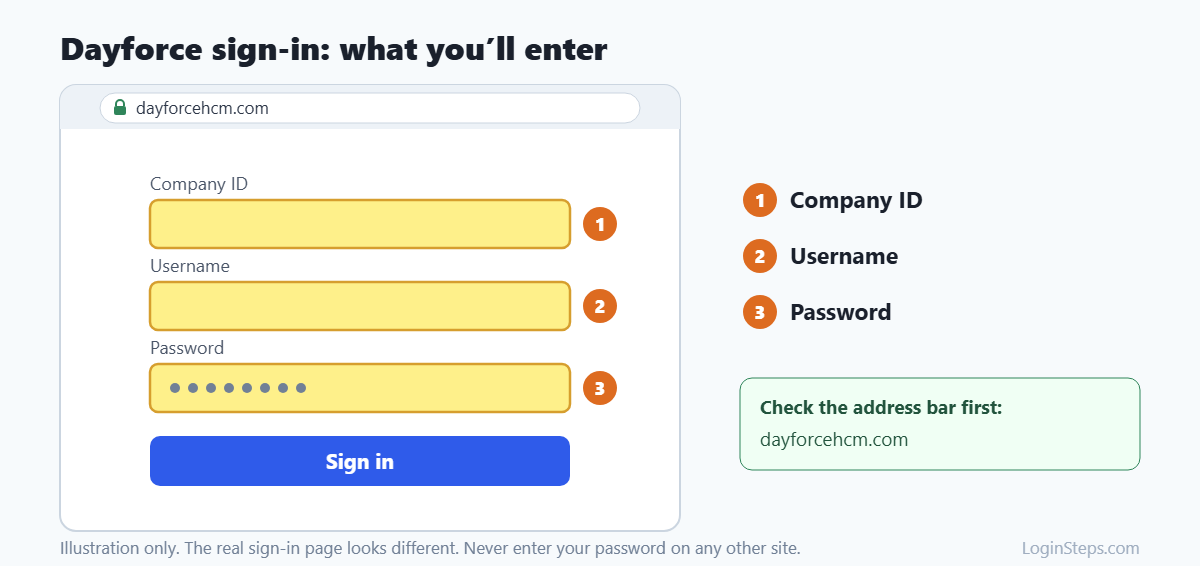
- Go to dayforcehcm.com, or use the Dayforce link from your employer.
- Enter your company ID.
- Enter your username and password.
- Complete any verification step and click Sign In.
If your company uses single sign-on, you may go straight to your work login instead of the Dayforce sign-in page.
How to Set Up the Dayforce App
- Download the free Dayforce app. Check that the publisher is Dayforce.
- Enter your company ID and username. The app remembers these for next time.
- Enter your password and sign in.
Tip: If you can already sign in on the web, you’ll find your company ID and username in your Profile under Settings → Apps, in the Dayforce Mobile app section.
How to View Pay Statements and W-2s
- Sign in to Dayforce.
- Open Earnings (or Pay) to see current and past pay statements.
- Look for tax forms or year-end forms to download your W-2.
Menu names vary by employer. If you can’t find a W-2, especially from a past year, Dayforce recommends contacting your employer’s HR or payroll department.
Forgot Your Password?
- On the Dayforce sign-in page, click Forgot Password.
- Enter your company ID and username, then submit.
- Open the reset email and click the link quickly, because it expires in a few minutes.
- Verify your identity with your security questions or MFA.
- Create a new password. It needs at least 7 characters and at least three of these: numbers, capital letters, lowercase letters and special characters.
If you can’t verify your identity, ask your manager, HR or Dayforce administrator to reset your password.
Looking for your W-2? See our step-by-step guide: How to get your W-2 from Dayforce.
Frequently Asked Questions
Where do I find my Dayforce company ID?
Your employer provides it. It isn’t your employee number. If you’re already signed in on the web, check Profile → Settings → Apps.
Is Dayforce the same as Ceridian?
Yes. Ceridian renamed the company Dayforce in 2024. The login works the same way.
Can I call Dayforce for help?
Dayforce asks employees to contact their own HR, payroll or system administrator for login and pay questions.
Can I use Dayforce on my phone?
Yes. The Dayforce app works on iPhone and Android, but only if your employer uses Dayforce.
Conclusion
Sign in at dayforcehcm.com or in the Dayforce app with your company ID, username and password. For account problems, contact your employer’s HR or payroll team.
Related guides: UKG Pro Login · Workday Login · Paycom Login
LoginSteps is an independent guide and is not affiliated with Dayforce. We never ask for your login details. Always sign in only on the official Dayforce website or app. Read our disclaimer.