Amazon A to Z Login – atoz.amazon.work Schedule, Pay & Time Off
A to Z is Amazon’s official app and website for hourly associates in fulfillment centers, delivery stations and other operations sites. It’s where you manage your schedule, pay and time off.
Amazon A to Z – Quick Information
| Official website | atoz.amazon.work |
| Mobile app | A to Z (Android & iOS, published by Amazon) |
| Login | Your Amazon employee login (alias) and password |
| Used by | Amazon hourly associates |
Get the official app – Amazon A to Z: App Store · Google Play
What You Can Do in A to Z
- View your work schedule
- Pick up extra shifts (VET) or take voluntary time off (VTO)
- Request time off and check your balances
- View pay information and pay stubs
- Get company news and updates from your site
How to Log In to Amazon A to Z
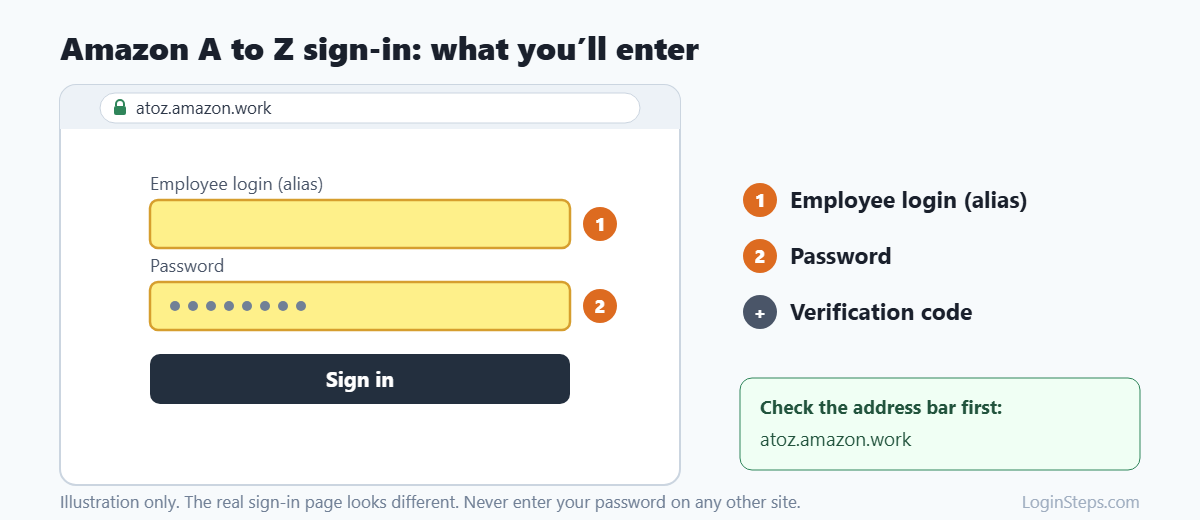
- Go to atoz.amazon.work in your browser, or open the A to Z app.
- You will be sent to Amazon’s login page at atoz-login.amazon.work.
- Enter your employee login (alias) and password.
- Complete the verification step if asked.
- Your A to Z home screen will open.
Note: Official A to Z addresses end in amazon.work. Don’t sign in on sites that only copy the A to Z name.
How to Check Your Amazon Schedule
- Log in to A to Z.
- Tap Schedule.
- Look for available VET or VTO in the same section.
How to Request Time Off
- Open A to Z and go to Time Off.
- Choose the type of time off and dates.
- Submit the request and watch for approval.
Forgot Your A to Z Password?
Use the password reset option on the A to Z login page. If you’re still locked out, visit your site’s HR team or Employee Resource Center (ERC).
Frequently Asked Questions
What is the official Amazon A to Z website?
atoz.amazon.work. It redirects to atoz-login.amazon.work to sign in.
Can I use A to Z before my first day?
New hires usually get their login details during onboarding. Ask your recruiter or HR if you haven’t received them.
Who helps with A to Z login problems?
Your site’s HR team or ERC.
Conclusion
Download the official A to Z app or go to atoz.amazon.work, sign in with your Amazon login, and use it for schedules, time off and pay.
Related guides: OneWalmart Login · myTHDHR Login · MyTime Target Login
LoginSteps is an independent guide and is not affiliated with Amazon. We never ask for your login details. Always sign in only on the official Amazon website or app. Read our disclaimer.