How to Change Your W-4 Withholding (2026 Form, Step by Step)
Your Form W-4 tells your employer how much federal income tax to take out of each paycheck. If you owed a lot at tax time, or got a huge refund, changing your W-4 can fix it. You can update it any time, as often as you need.
Quick Answer
| What to do | Fill out a new Form W-4 and give it to your employer |
| Best first step | Use the free IRS Tax Withholding Estimator |
| Where to submit | Usually online in your payroll portal (ADP, Workday, Paychex and so on), or on paper to HR |
| When it takes effect | Usually within one or two pay periods |
When Should You Change Your W-4?
The IRS suggests checking your withholding if you:
- Work more than one job, or your spouse works
- Get married or divorced, or have or adopt a child
- Have income without withholding, like gig work, side jobs or investments
- Got a surprise tax bill or a very large refund last year
- Receive tips or overtime and want your paychecks to reflect the new deductions
Step 1: Run the IRS Tax Withholding Estimator
The IRS Tax Withholding Estimator is free, needs no login and has been updated for the new deductions for tips, overtime, car loan interest and seniors. Have your latest pay stubs handy. It tells you whether to change anything and helps you fill in the W-4.
Step 2: Fill Out the W-4, Step by Step
Get the current form from irs.gov (Form W-4), or fill it out in your payroll portal. The IRS normally posts next year’s version in December.
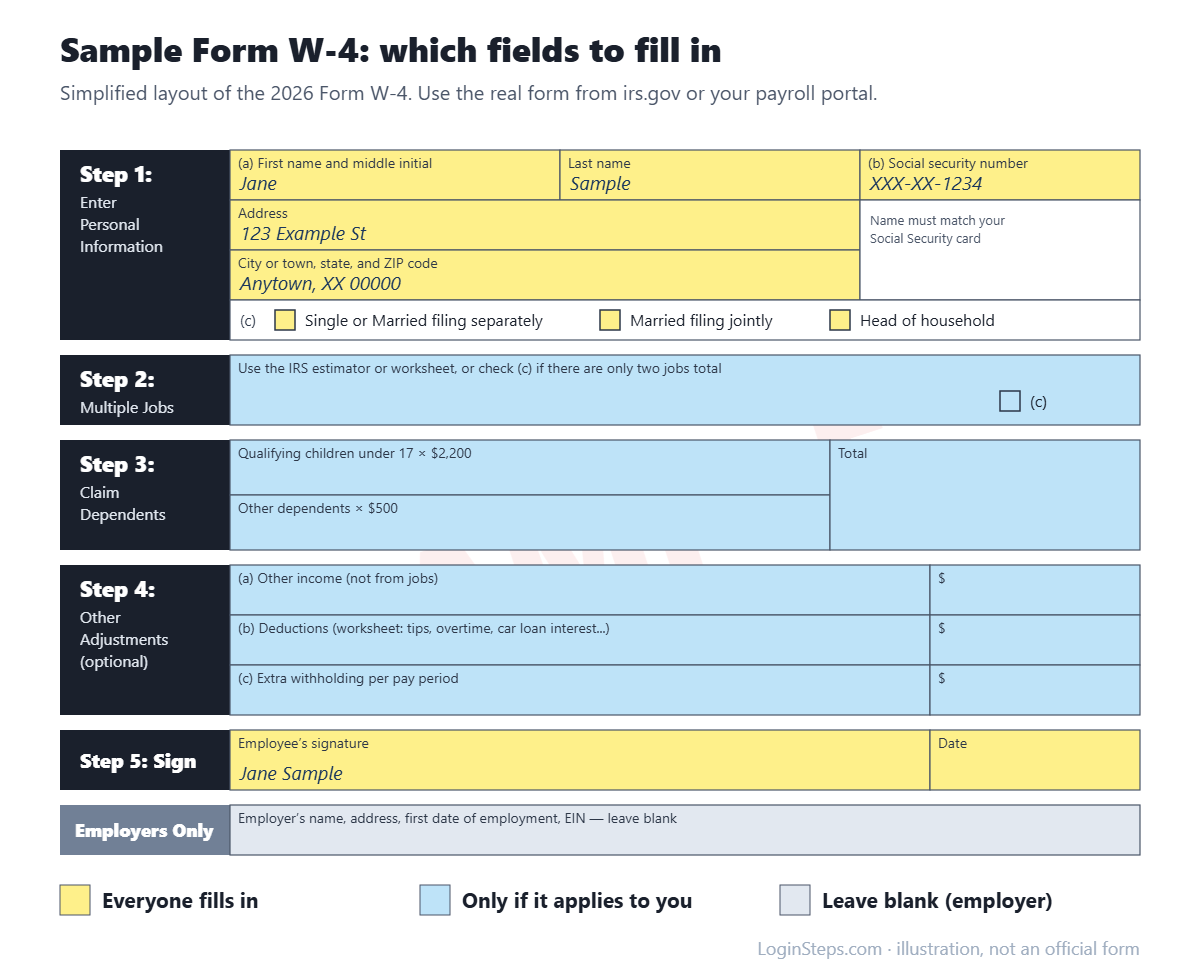
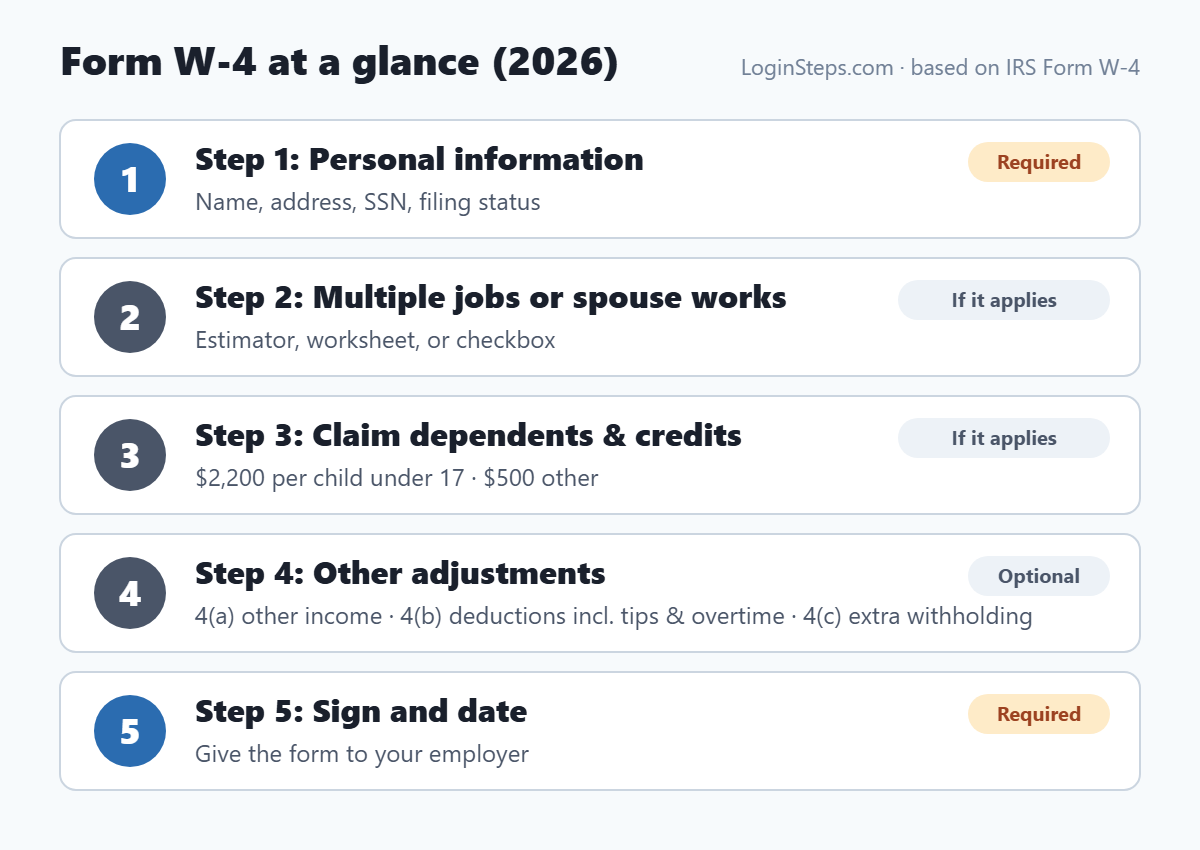
- Step 1 – Personal information (required): name, address, SSN and filing status. Make sure your name matches your Social Security card.
- Step 2 – Multiple jobs or spouse works: use the estimator, the Multiple Jobs Worksheet, or check the box if there are only two jobs total (check it on both W-4s). Fill out Steps 3–4(b) on only one job’s W-4.
- Step 3 – Dependents: $2,200 for each qualifying child under 17 and $500 for each other dependent, plus other credits.
- Step 4(a) – Other income: income with no withholding, like interest, dividends or retirement income.
- Step 4(b) – Deductions: use the Deductions Worksheet if you expect deductions beyond the standard deduction. On the 2026 form this includes qualified tips, qualified overtime, car loan interest and the senior deduction.
- Step 4(c) – Extra withholding: an extra dollar amount to take out of each paycheck. This is the simplest fix if you owed money last year or have 1099 side income.
- Step 5 – Sign and date (required).
Step 3: Give It to Your Employer
- Online: most payroll portals have a tax withholding or W-4 section. See our guides for ADP, Workday, Paychex Flex, Gusto, Paycom and UKG Pro.
- On paper: give the signed form to HR or payroll. Don’t send it to the IRS.
- Check your next pay stub or two to confirm the change went through.
Claiming Exempt From Withholding
You can claim exemption for 2026 only if you had no federal income tax liability in 2025 and expect none in 2026. If you claim it, you fill in only Steps 1(a), 1(b) and 5, and you must submit a new W-4 by February 16, 2027 to keep the exemption.
Frequently Asked Questions
How often can I change my W-4?
As often as you like. Just give your employer a new one.
Do I have to fill out a new W-4 every year?
No. Your W-4 stays in effect until you change it, unless you claimed exempt, which has to be renewed each year.
I owed money last year. What’s the easiest fix?
Run the IRS estimator, or enter an extra amount per paycheck in Step 4(c).
I have a 1099 side job. Can my W-4 cover it?
Yes. Raising the withholding at your W-2 job (Step 4(a) or 4(c)) can cover tax on side income, which may reduce or replace quarterly estimated payments. See W-2 vs 1099.
Conclusion
Run the IRS Tax Withholding Estimator, fill out a new W-4 (using Step 4 for tips, overtime or extra withholding), and submit it through your payroll portal or HR. Check your next pay stub to make sure it took effect.
Related: W-2 vs 1099 · How to read your W-2
LoginSteps is an independent guide, not a tax advisor. For advice about your own situation, talk to a tax professional or see IRS.gov. Read our disclaimer.