Paylocity Login – Employee Access, Company ID & Pay Stub Guide
Paylocity is a payroll and HR platform used by thousands of employers. If your company uses Paylocity, you’ll log in to see pay stubs, W-2s, time off and benefits. This guide covers the login step by step.
Paylocity Login – Quick Information
| Official login | access.paylocity.com |
| You need | Company ID, username and password |
| Mobile app | Paylocity (App Store & Google Play) |
| Password rules | 8 to 72 characters, case sensitive |
| Help | Your company’s Paylocity administrator (HR/payroll) |
Get the official app – Paylocity: App Store · Google Play
Note: Paylocity does not handle employee account questions directly. For login problems, contact your company administrator in HR or payroll.
What You Need to Log In
- Your Company ID, provided by your employer
- Your username and password
- A device with internet access
How to Register as a New Paylocity User
- Go to access.paylocity.com.
- Click Register New User.
- Enter your Company ID and the details your employer asks for.
- Create your username and password (8–72 characters, case sensitive).
- Set up your security options and sign in.
How to Log In to Paylocity
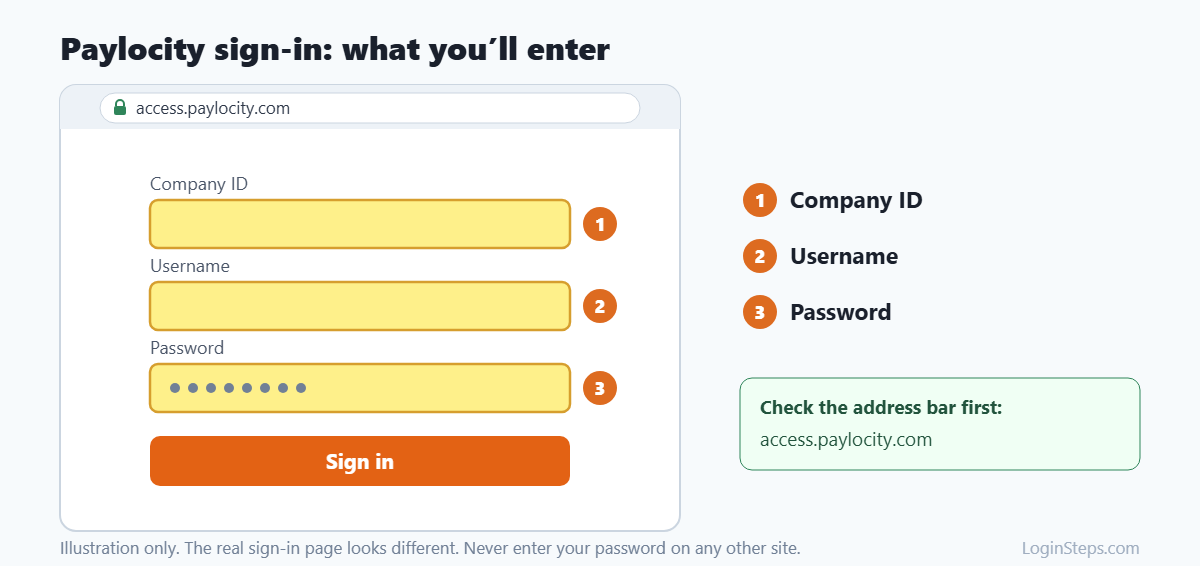
- Go to access.paylocity.com or open the Paylocity app.
- Enter your Company ID.
- Enter your username and password.
- Click Login. Tick “Remember My Username” on a personal device if you like.
If your company uses single sign-on, choose Single Sign-On Login and sign in with your work account.
How to View Your Pay Stub and W-2
- Log in to Paylocity.
- Open Pay or Pay History to view pay stubs.
- Open the tax documents area to download your W-2.
Forgot Your Company ID, Username or Password?
- Click Forgot Company ID/Username? on the login page to retrieve them.
- Click Forgot Password? to reset your password.
- If you’re still stuck, ask your HR or payroll administrator.
Looking for your W-2? See our step-by-step guide: How to get your W-2 from Paylocity.
Frequently Asked Questions
Where do I find my Paylocity Company ID?
Your employer provides it, often in onboarding emails. You can also use the Forgot Company ID link on the login page.
Can I call Paylocity for help?
Paylocity asks employees to contact their own company administrator with questions.
Is there a Paylocity app?
Yes. The Paylocity app is available on the Apple App Store and Google Play.
Conclusion
Keep your Company ID handy, log in at access.paylocity.com, and contact your company’s HR or payroll team for account help.
Related guides: ADP Login · Costco Employee Login · MyInfo Kroger Login
LoginSteps is an independent guide and is not affiliated with Paylocity. We never ask for your login details. Always sign in only on the official Paylocity website or app. Read our disclaimer.