Paycor Login – Employee Registration, Sign-In, Pay Stubs & Password Help
Paycor is a payroll and HR platform used by many U.S. employers, from small businesses to mid-sized companies. If you’re paid through Paycor, you’ll use it to view pay stubs, get tax forms, request time off and update your details. This guide covers registering, signing in and getting back into your account.
Paycor Login – Quick Information
| Official login | paycor.com → Sign In |
| You need | Paycor username and password |
| To register | Last name, access code from your employer, SSN and date of birth |
| Mobile app | Paycor Mobile (App Store & Google Play) |
| Help | Your company’s HR or payroll administrator |
Get the official app – Paycor Mobile: App Store · Google Play
How to Register as a New Paycor User
- Open the registration link in the email from your employer, or go to paycor.com and choose to register.
- Enter your last name and the access code from your employer’s instructions.
- Confirm your identity with your Social Security number and date of birth.
- Create your username and password, and add your email address.
- Enter the verification code Paycor emails you.
- Choose and answer your security questions.
Note: Your employer must add your SSN and date of birth in Paycor before you can register. If registration fails, check with HR.
How to Log In to Paycor
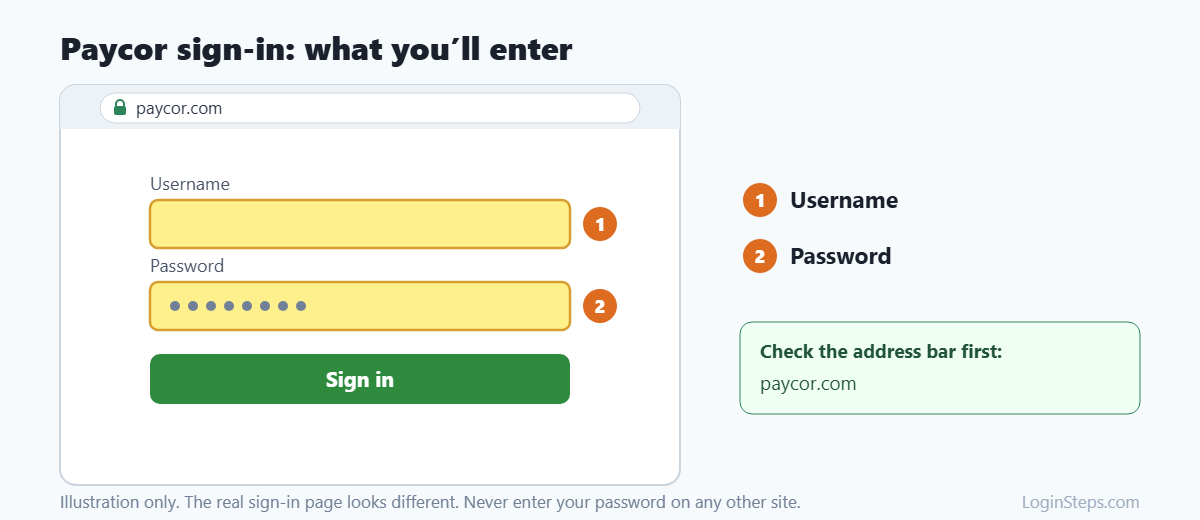
- Go to paycor.com and click Sign In, or open the Paycor Mobile app.
- Check that the address bar shows a paycor.com address.
- Enter your username and password.
- Complete any verification step and you’re in.
How to View Your Pay Stubs and W-2
- Sign in to Paycor.
- Open Pay Stubs (or the Pay section).
- Click View PDF next to a pay date to open or download that stub.
- Look in the tax forms or documents area for your W-2. Employers must provide W-2s by January 31.
Forgot Your Username or Password?
- Forgot username: On the sign-in page, click Forgot your username?, enter your email and follow the steps.
- Forgot password: Click Forgot your password? and follow the prompts, which may include your security questions.
- Still locked out? Contact your company’s HR or payroll administrator.
Frequently Asked Questions
Where do I get my Paycor access code?
From your employer. It’s in your registration email or onboarding instructions.
Can I call Paycor for help logging in?
Paycor directs employees to their company’s HR or payroll administrator for account access and pay questions.
What can I do in the Paycor Mobile app?
Paycor says you can clock in, view pay stubs, request time off and manage HR tasks, using the same username and password.
Why can’t I register?
Usually your employer hasn’t finished setting up your profile (SSN and date of birth), or the access code was typed wrong. Check with HR.
Conclusion
Register with the access code from your employer, then sign in at paycor.com or in the Paycor Mobile app. For access problems, contact your HR or payroll administrator.
Related guides: Paychex Flex Login · Paycom Login · Paylocity Login
LoginSteps is an independent guide and is not affiliated with Paycor. We never ask for your login details. Always sign in only on the official Paycor website or app. Read our disclaimer.